
Creating a comfortable and productive home workspace is essential for anyone working remotely or spending significant time on tasks at home. The right environment can improve focus, reduce stress, and make your workday more enjoyable. Whether you have a dedicated room or just a small corner, these tips will help you set up a space that supports your work and well-being.
Choose the Right Location
Consider Natural Light
Natural light can help improve your mood and increase alertness. Try to place your workspace near a window to benefit from daylight. Avoid placing your computer screen directly in front of or behind a window to reduce glare.
Minimize Distractions
Select a spot in your home that is quiet and away from high-traffic areas. This helps maintain concentration and reduces interruptions, especially if you participate in video calls or need deep focus time.
Invest in Ergonomic Furniture
Ergonomic Chair
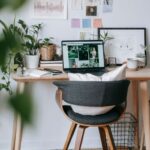
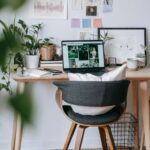
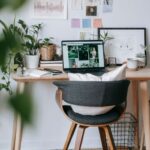
A good chair supports your lower back and encourages good posture. Look for adjustable height, lumbar support, and comfortable cushioning. Sitting comfortably reduces strain and fatigue.
Desk Height and Space
Your desk should be at a height where your elbows form a 90-degree angle when typing. Make sure it has enough surface area for your computer, notebooks, and other essentials without feeling cramped.
Consider a Standing Desk
Standing desks or adjustable sit-stand desks allow you to alternate between sitting and standing, which can reduce fatigue and improve circulation.
Organize Your Workspace
Declutter Regularly
Keep only the essentials on your desk. Clutter can be distracting and make it harder to focus. Use organizers, trays, or drawers to store supplies out of sight.
Use Cable Management
Tangled cords can be annoying and messy. Use cable clips, sleeves, or ties to keep cables organized and prevent them from getting underfoot.
Personalize Thoughtfully
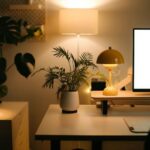
Add a few personal touches like plants, photos, or artwork that make the space inviting without overwhelming it.
Optimize Lighting for Comfort
Layered Lighting
Combine natural daylight with ambient light (like ceiling lights) and task lighting (such as a desk lamp). This helps reduce eye strain and provides adequate illumination throughout the day.
Adjustable Lighting
Choose lamps with adjustable brightness or color temperature to suit different times and tasks, whether reading, typing, or video conferencing.
Set Up Technology Efficiently
Reliable Internet
Ensure your workspace has a strong Wi-Fi connection or a wired internet setup to avoid disruptions during work.
Quality Accessories
Invest in a good keyboard, mouse, and headset. These small tools can make a big difference in comfort and productivity.
Multiple Screens
If your work involves multitasking, consider a dual-monitor setup to increase screen space and efficiency.
Establish a Routine and Boundaries
Define Work Hours
Create clear start and end times for your workday to maintain balance. Communicate these boundaries to family or housemates if needed.
Take Breaks
Schedule regular breaks to stretch, hydrate, and rest your eyes. Short breaks help maintain focus and reduce fatigue.
End-of-Day Ritual
Develop a routine for wrapping up your work, like tidying your desk or making a to-do list for the next day. This signals to your brain that the workday is done.
Maintain Comfort and Wellness
Manage Temperature and Ventilation
Ensure your workspace is well-ventilated and at a comfortable temperature. Fresh air helps keep you alert and focused.
Keep Hydrated and Snack Smartly
Having water nearby encourages you to drink regularly. Choose healthy snacks to maintain energy levels.
Incorporate Movement
Stretching or brief exercises during breaks helps prevent stiffness and improves circulation.
—
Creating an effective home workspace doesn’t have to be complicated. By thoughtfully choosing your location, investing in ergonomic furniture, organizing your tools, and establishing good habits, you can enjoy a comfortable space that enhances your productivity and well-being. Start small and adjust as you learn what works best for you!