
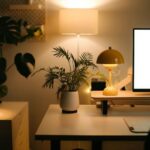
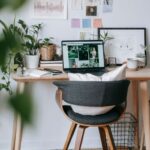
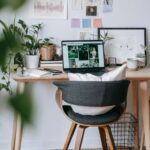
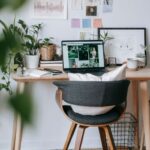

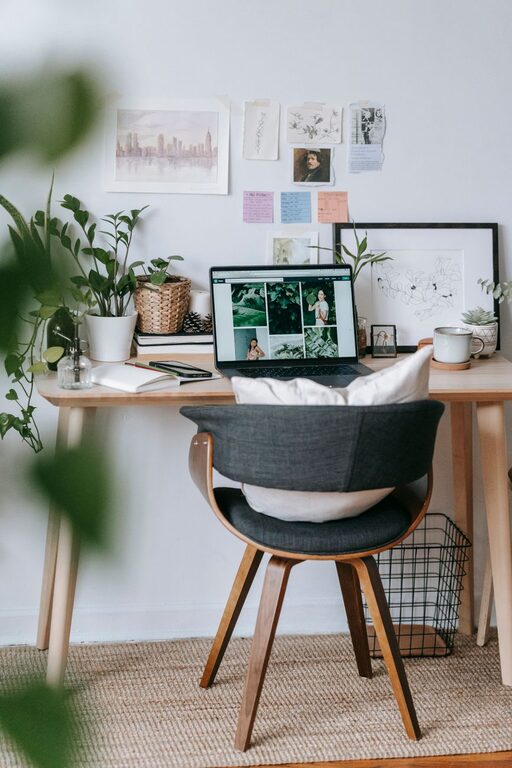
Creating a home office that feels welcoming yet supports your productivity can make a significant difference in your work-from-home experience. Whether you have a dedicated room or a small corner, shaping a space that encourages focus without sacrificing comfort is essential. This guide offers practical tips to help you design a cozy and productive home office tailored to your needs.
Choose the Right Location
Consider Natural Light
Natural light boosts mood and energy, so select a spot near a window if possible. Position your desk to take advantage of sunlight without causing glare on your computer screen.
Minimize Distractions
Pick a quiet area away from household traffic, TVs, or noisy appliances to maintain concentration throughout your work hours.
Invest in Comfortable and Functional Furniture
Ergonomic Chair
An ergonomic chair supports good posture and reduces the risk of back pain. Look for adjustable height, lumbar support, and breathable materials.
Spacious Desk
Choose a desk with enough surface area for your computer, notebooks, and any other tools you use regularly. Consider desks with built-in storage options to keep essentials handy but organized.
Organize Your Workspace
Declutter Regularly
A clutter-free desk helps clear your mind. Use drawer organizers or desktop trays to keep supplies neat and accessible.
Use Shelving and Storage
Install shelves or use storage bins to keep books, files, and equipment orderly. Labeling boxes or folders can speed up finding what you need.
Cable Management
Keep cords tidy with clips, ties, or cable sleeves to avoid a messy look and potential hazards.
Add Personal Touches for Comfort
Soft Textiles
Introduce elements like a cozy rug, cushions, or a blanket to soften the space and give it a welcoming feel.
Plants
Houseplants not only improve air quality but also add color and life to your office. Choose varieties that thrive indoors and are easy to care for.
Artwork and Decor
Display artwork or inspirational quotes that motivate you. Personal photos or decorative objects can make the space uniquely yours.
Lighting for Focus and Ambiance
Task Lighting
A desk lamp with adjustable brightness helps reduce eye strain during detailed work or reading.
Ambient Lighting
Use warm, diffused overhead or floor lamps to create a comfortable ambiance that supports longer work periods without fatigue.
Establish a Routine and Boundaries
Dedicated Work Hours
Set regular start and end times to maintain work-life balance. Communicate these hours to family or housemates to minimize interruptions.
Transition Rituals
Begin your day with a routine, such as making a cup of tea or planning tasks on a to-do list, to signal the start of work and help you switch into focus mode.
Incorporate Technology Wisely
Reliable Internet Connection
Ensure your workspace has strong internet coverage to avoid disruptions during meetings or downloads.
Quality Equipment
Invest in a good quality headset, webcam, and keyboard to improve comfort and communication during virtual work.
Backup Power
Consider a surge protector or battery backup to keep your devices safe and functional during power fluctuations.
Maintain Good Air Quality and Temperature
Ventilation
Keep your home office well-ventilated by opening windows when possible or using an air purifier.
Temperature Control
Use fans, heaters, or humidifiers to keep the room at a comfortable temperature to avoid distractions due to discomfort.
Keep Wellness in Mind
Take Breaks
Stand up and stretch regularly to reduce stiffness and promote circulation.
Stay Hydrated and Nourished
Keep water and healthy snacks nearby to maintain energy levels throughout the day.
—
By combining thoughtful design with practical organization and personal touches, you can create a home office that feels inviting and supports your best work. Experiment with these tips to find the setup that works perfectly for you.